Goal

I'm going to build a flexible and customizable tab bar for Maitsu's iPhone app using UITabBar in a SwiftUI wrapper.

May 8, 2024

Checkin 1.png

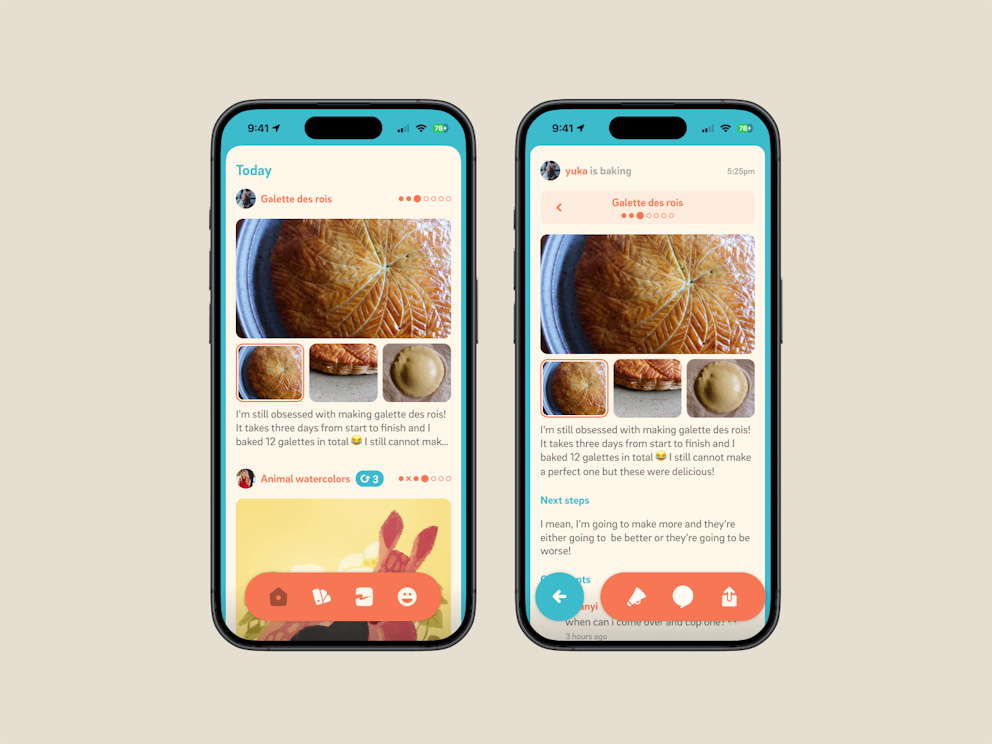
SwiftUI TabViews are woefully lacking, so I am going to have to make a new one. Here are the designs for what I'm thinking—the icons aren't final yet!

It needs to be:

* Fully visually customizable

* Allow integration with the navigation stack to conditionally show back buttons and view-contextual actions

* Retain navigation stack history on a per-tab basis

* Support for multiple gesture recognizers on a tab to allow for double-tap and long-press actions

* Publish events that allow views to control whether it is visible or hidden

* Support animation
May 9, 2024

CleanShot 2024-05-08 at 18.56.11@2x.png

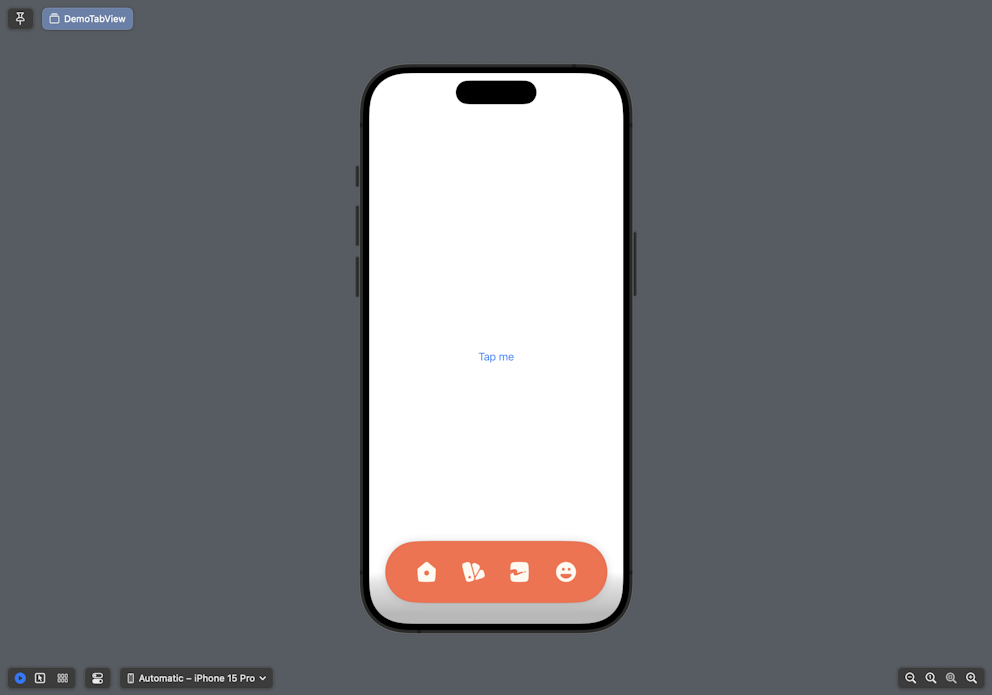
I went for a walk, but now that I'm back I'm getting some basic layouting set up. The tab bar doesn't switch between modes yet but thats the next step. But... the icons do bounce when you tap them!

May 10, 2024

We have interaction working! In the test environment, clicking the button transitions between two tab bar modes: One for the home view and one for nested views.

The idea is that pushing a view onto the navigation controller will transition to the nested view, which has contextual actions.

Getting the animation/transitions working was pretty easy with SwiftUI as well.

May 13, 2024

I got stuck on a different PR (implementing video attachments on mobile) for the past few days and didn't get to look at this too much, so tonight I worked on it even more than usual.

With the help of my trusty steed—tonight it's Claude.ai—I got several things done:

First, I modularized the MaitsuTabView and let the consumer send arbitrary sets of tabs as MaitsuTab. Doing this let me define individual content views for each tab as well. I'm going to quickly run into the problem that my current tab bar library has where the view stack is not stored per tab. This means that the root view is recreated every time you go to a different tab and come back. This might not be as big of a problem with our design, but it is annoying and is potentially bad for performance, so I'd like to fix it.

Then, I implemented gesture recognizers on each tab. Gesture recognizers are for things like double tap and long press. Currently it's set up so only the active tab has more than one gesture recognizer to make things not super overwhelming. The idea is to add flexibility by letting people do things like long press to go back to the root view or double tap to go to the top and refresh automatically.

Lastly, I worked on getting tab bar visibility and animation working. There are some situations where life becomes a lot easier if you just hide the tab bar and the library the app is currently using doesn't give easy control over that. There's probably more work to do, but I'm happy with how the dialed in animation values turned out.

May 15, 2024

Today, I worked on wiring things up outside of the demo environment and in the actual app.

I did make some progress! The tab bar is technically... functional, although a lot of things aren't working. We do have automatic bar mode switching working, which was the milestone for this checkin.

There are some weird bugs I'm running into, like tabs not highlighting properly when they're selected, or the back button working when I long press but not when I tap normally???

I'm very confused, but I'll work them out!

It's been a very long few days: Lots of real work (much of which is still not done) and a surprise API bug that I was scrambling to fix. The good news is notifications work as a result, but I'm super duper tired.